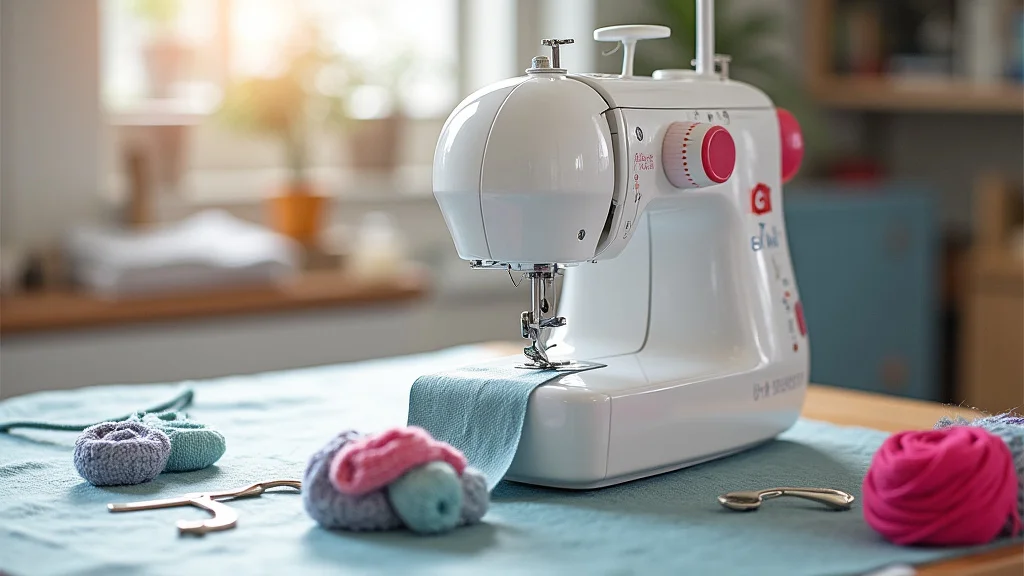
Remember that time you tried to follow a sewing pattern, and the diagrams looked like hieroglyphics? You weren’t alone! Many of us struggle to visualize how things should look in the end. This is where high-quality sewing images come in. This post will give you a detailed walkthrough on creating, finding, and using the best sewing images to boost your skills and projects. You’ll learn the techniques used, how to source images, and get a better grasp of the tools needed for your sewing projects. By the end, you’ll be able to easily comprehend instructions, visualize the outcome, and confidently tackle any sewing task, increasing your skills and enjoyment.
Key Takeaways
- Learn how to create appealing sewing images to enhance your skills.
- Discover sources where you can acquire excellent quality sewing images.
- Understand the importance of image licensing and usage rights.
- Explore tools and software for editing and improving your images.
- Learn how to use sewing images effectively in your projects, patterns, and tutorials.
- Find out about techniques for creating 3D images of sewing projects.
The Power of Sewing Images
Sewing is a tactile craft, where precision and vision come together. While text descriptions are important, sewing images play a huge role in transforming written instructions into visual guidance. These images provide detailed views that are key to simplifying complex steps. Think of them as roadmaps for your projects. They cut down on confusion, improve comprehension, and boost overall efficiency, allowing sewers of all skill levels to follow patterns with clarity.
The use of visual aids is a fundamental principle in learning and instruction, particularly in skill-based activities like sewing. Research shows that people retain information better when it is presented visually. For sewing, this translates to faster learning and the ability to execute more complex techniques. Images clarify difficult concepts, illustrate steps that are difficult to explain, and offer a clear vision of the final result, improving both the learning process and the final outcome of the project.
Why Sewing Images Are Important
Visual cues significantly support learners in understanding complex tasks and remembering information. In sewing, where techniques can be detailed and difficult, images serve a key role in explaining processes. They reduce the potential for errors, saving time and resources. Consider the difference between reading directions and actually seeing them performed. Sewing images give that visual reference, making it simple to duplicate the motions and achieve successful outcomes.
- Improved Comprehension: Images provide a visual context that can clarify complex steps more efficiently than written instructions alone.
- Reduced Errors: Visual aids can help prevent mistakes by providing a reference.
- Enhanced Learning: Visual aids speed up the learning curve, encouraging skill development.
- Increased Engagement: Engaging visuals make instructions more appealing and memorable.
- Better Visualization: Allows sewers to envision the final product.
Visual aids, like clear images, quickly break down complicated steps into simple, actionable actions. This is key because many sewing tasks involve several steps. Sewing images clearly show the right way to complete each step. This supports a better understanding of the overall process, reducing the guesswork.
A well-placed sewing image can visually guide sewers through potentially confusing stages. This immediate visual feedback helps in confirming the alignment of parts, ensuring correct placement of stitches, and verifying other critical details. This ultimately increases the likelihood of correct execution, leading to more professional results.
By visually demonstrating each step, images enable learners to quickly understand and apply concepts. This accelerated learning is especially beneficial for those new to sewing. Learners can easily grasp the relationships between different parts. This visual approach supports skill growth as sewers learn and adapt to new techniques.
High-quality images transform instructions into an interesting guide. The enhanced visual appeal also increases engagement, encouraging users to study patterns. This combination of informative content and visually engaging components makes for a better user experience, supporting the learning process.
Images offer a clear representation of what a finished sewing project will look like. This allows the user to envision the outcome before starting, making it easier to follow the instructions and stay motivated. This early view also helps in planning and selecting materials and color schemes, supporting project success.
Methods for Creating Sewing Images
Creating your own sewing images is not as hard as you might think. Many different ways exist to generate high-quality images. The method selected will affect the final result and depend on the need of your project. Whether you’re making a tutorial or creating a pattern, the right method ensures that your visual aids are clear, informative, and simple to understand. Let’s explore the techniques available to bring your sewing ideas to life visually.
Photography for Sewing
Photography is a classic way to create sewing images, and it’s especially useful for capturing physical actions. This method requires a camera, good lighting, and a clear setup to get great results. Consider factors like focus and background. Proper lighting stops shadows from hiding important details. A simple background keeps the focus on the item.
- Camera Setup: Choose a camera that produces high-quality images.
- Lighting Techniques: Use well-placed lights to eliminate shadows and illuminate the work.
- Background and Composition: Select a simple background that doesn’t distract from the object.
- Image Editing: Learn to edit images using software to improve their appeal.
A good camera and lens are essential for taking sharp, clear photos. Cameras with a macro setting can capture the tiny details of sewing. This close-up capability is especially helpful when photographing stitches, seams, and other small components.
The goal is to ensure even lighting so every detail of the sewing project is clear. Natural light works well, but if it is not available, try using softboxes or ring lights. These lights distribute light evenly and get rid of shadows.
The background must be clean and simple, such as a plain piece of fabric or a white surface. This keeps the focus on the sewing project. Good composition means carefully arranging your items. Think about angles, how much space there is, and the story you are trying to tell with your pictures.
Software editing can brighten images, correct colors, and sharpen details. Tools like Adobe Photoshop or GIMP (a free option) allow you to change your pictures to perfection. Crop images to focus on the key components. Use editing to improve the clarity and quality of your sewing images.
Illustrating Sewing Techniques
Drawing or using digital illustrations provides another way to develop sewing images. This technique allows for control over every detail and can better showcase specific steps in the sewing process. Software tools that offer vector graphics let you create clear, scalable drawings that are perfect for instructions. Whether you prefer to draw by hand or digitally, this approach offers a flexible way to visually represent your projects.
- Drawing Tools and Software: Select digital or traditional drawing tools for your illustrations.
- Illustrative Style: Adopt a style that’s clear and simple to grasp.
- Step-by-Step Guides: Break down complex sewing techniques into a series of illustrations.
- Adding Annotations: Use text and labels to explain illustrated elements.
Use drawing pencils, pens, or digital tools, such as drawing tablets, that work well for detail work. Digital drawing software such as Adobe Illustrator or Inkscape (free) provides vector-based drawing capabilities. Vector drawings can be enlarged without losing quality, ideal for instructions.
The illustration style should emphasize simplicity and clarity. Choose colors and line weights that are easy to view on any screen. Use simple shapes and arrows to show actions and movements.
Illustrations work great for breaking down complex tasks. Show each step separately, from the beginning to the end. Number these steps in order so that readers can understand the process and easily follow the instructions.
Label the parts of your illustration. Include short notes to clarify the actions. Labels are critical to avoiding confusion and ensuring that the visual instructions are easy to follow. Ensure that the annotations complement the images, providing a thorough understanding of the process.
3D Modeling for Sewing
3D modeling has become a very powerful way to create sewing images. This technique is especially useful for showing projects from every angle. This approach is gaining popularity as it provides realistic views of sewing projects before they are sewn. Using specialized software, you can create digital versions of fabric and patterns, allowing you to showcase designs with detail.
- 3D Modeling Software: Use programs such as Blender or CLO3D.
- Fabric Simulation: Include fabric simulation tools to show how materials behave.
- Texturing and Detailing: Add details such as seams, patterns, and stitching.
- Rendering: Generate high-quality images from your models.
Choose 3D modeling software that suits your requirements. Blender is a free, powerful tool perfect for complex modeling. CLO3D is designed for fashion design. Each program gives a unique array of features.
Fabric simulation software allows digital fabric to respond to gravity, wind, and other forces. This allows you to show drapes, pleats, and folds in the fabric. Make sure the virtual fabric looks and acts like real fabric by adjusting the settings in the software.
Texturing is the addition of details to make your model look like real fabric. This includes adding colors, patterns, and textures. Add digital seams to demonstrate how pieces join together and stitching to show where the stitches are positioned. These details improve the realism.
Rendering is the process of generating detailed images from your 3D models. Adjust settings, lighting, and camera angles. High-quality images make for clear images. You can then use them in patterns and tutorials.
Finding and Using Sewing Images Effectively
Locating the right sewing images is a crucial step in improving the quality of your projects. Numerous places offer a wide variety of pictures, from stock photos to specialized collections. Properly using these pictures, knowing about licenses, and understanding copyrights are key to your success. Here’s how you can make the most of the resources available to help you in your sewing endeavors.
Sources for Sewing Images
Numerous resources exist for finding sewing images, each having its own features. Whether you need pictures for a quick reference, a detailed pattern, or a tutorial, you can explore many options. Consider the quality, resolution, and licensing when deciding where to locate your images. Here are a few places to help you discover the perfect visuals.
- Stock Photo Websites: Websites such as Shutterstock and Adobe Stock offer a wide array of images.
- Online Craft Marketplaces: Explore Etsy and similar marketplaces for sewing-related images.
- Free Image Websites: Use websites such as Unsplash and Pexels for royalty-free images.
- Sewing Blogs and Tutorials: Learn from other creators and discover images from their content.
Stock photo sites offer a wide variety of sewing-related photos and illustrations. Their stock includes pictures of sewing machines, fabrics, and completed projects. These sites provide different image licenses, making them useful for personal and commercial projects. Always review the license before use.
Craft markets like Etsy are a great place to discover handmade designs. You will find images made by other sewers, including sewing patterns and digital illustrations. Be aware of the image licensing. Many sellers let users buy images for a price or offer them for free. Ensure the image meets your needs before you buy it.
Free image sites offer a large selection of royalty-free photographs that you can use without any cost. While these images are free, you must check the licensing terms. These resources can be great for quick image needs. Look for high-resolution images to maintain clarity.
Many sewing blogs and tutorials include sewing images for instruction. This is a source for finding examples of different sewing techniques. Always check the licensing to make sure you can reuse images. Contact the creator to ask about use if you are unsure.
Image Licensing and Usage Rights
Understanding image licensing and usage rights is key when using sewing images. Knowing these rules allows you to prevent copyright problems. Licenses specify how you can use images, from personal use to commercial ventures. Always check the license to ensure your use is allowed. Here’s a summary of the licenses and ways to prevent issues.
- Types of Licenses: Understand Creative Commons, Royalty-Free, and commercial licenses.
- Attribution Requirements: Know when and how to give credit to the image creator.
- Commercial vs. Personal Use: Differentiate between the rules for various applications.
- Copyright Awareness: Recognize the importance of respecting image copyrights.
There are multiple license types. Creative Commons licenses allow sharing and modification. Royalty-Free licenses permit image use. Commercial licenses give permission to utilize images for business purposes. Learn about the restrictions. This helps prevent license violations.
When using an image, you may be required to attribute the creator. The license provides specific instructions for how to give credit. This usually includes the creator’s name, the license type, and sometimes a link to the original picture. Proper attribution shows respect for the creator.
Licenses will often separate the use of an image into two categories: commercial and personal. Personal use is for projects. Commercial use is for business projects. Ensure your use complies with the license. Buying the correct license is key to avoiding issues.
Respect copyright laws when using sewing images. Do not use images without the right permissions. Only use images that have a suitable license for your projects. This protects both you and the image creator from legal issues.
Incorporating Images Into Your Projects
Effectively using sewing images in your projects can dramatically enhance their impact and ease of use. Whether you are using images to make tutorials or pattern guides, strategic placement and careful use is important. Here’s how you can include visuals to improve your sewing projects.
- Placement in Tutorials: Strategically position images next to the corresponding steps.
- Image Sizing and Resolution: Make sure images are appropriately sized.
- Annotations and Labels: Use labels and arrows to describe the main parts of an image.
- Image Consistency: Maintain a consistent style for all images.
Placing images near the step is a great way to improve clarity. Include images for the actions, showing the process for each step. Ensure the pictures are correctly placed to simplify the directions.
Choose high-resolution pictures for clarity, especially when detailing the steps. Size images well, balancing image quality and file size. Adjust the sizes of the images to match the design of your layout.
Add labels and arrows to highlight the most important parts of your project. This supports the reader in seeing the critical sections of each step. Annotations help by simplifying complex directions. Use the text to draw attention to features and areas of action.
Make sure the images have a similar style and appearance, so that the tutorial stays unified. Uniformity improves the user experience. This includes consistency in color, angle, and detail. Create a set of visuals that are consistent with each other.
Advanced Techniques and Tips
Developing proficiency in using sewing images goes beyond basic use. Advanced techniques and tips can improve your workflow. These include optimizing images for various uses and making 3D images of your work. By using these practices, you can create visual aids that are more useful and effective. These advanced options will help you take your images to the next level.
Optimizing Images for Various Platforms
Optimizing sewing images for different platforms, such as websites, social media, and print materials, guarantees that they look their best on any viewing platform. This optimization affects image quality, file size, and the clarity of your visual aids. Here is a guide to help you get the most out of your pictures, regardless of where they are shown.
- File Formats: Understand the best file formats for different uses.
- Image Compression: Minimize the file size without losing too much quality.
- Resolution and Dimensions: Ensure the correct resolution and dimensions for each platform.
- Accessibility: Add alt text to images for search engine optimization.
File types, like JPEG and PNG, are important when considering image use. Use JPEG for photos and complex images, where file size is key. PNG is perfect for graphics with text, since it has good clarity and transparency. Choose file formats that suit the content and platform.
Compressing images is key to faster loading times. Most image editing software allows you to reduce file size. Use compression to balance file size with image quality. Smaller images will load quickly, which improves the viewing experience.
Resolution and dimensions are key in getting the right view. For websites, use images that are appropriate for screen display. For print, use higher resolutions. Matching image size to the platform guarantees that pictures look sharp and clear on every platform.
Add alt text that describes the image. It helps those with visual impairments. It also assists search engines in understanding your content. Use alt text for better SEO and accessibility.
Creating 3D Sewing Images
3D sewing images provide a detailed, realistic look at projects. They allow you to show a complete product with realistic detail. This is very beneficial for illustrating complex designs and for tutorials. The steps required to create and improve 3D images will make your patterns more efficient.
- Software Selection: Use software suited for 3D modeling and rendering.
- Modeling Techniques: Model fabric and sew digital components.
- Lighting and Rendering: Add lighting and render your designs for realistic views.
- Post-Processing: Enhance 3D images using editing software.
Select specialized 3D software for sewing. Programs like CLO3D and Marvelous Designer are designed for fashion and apparel design. Blender is a versatile option for open-source modeling. These programs have tools to simulate fabric, sew, and style designs.
Start by modeling your basic fabric parts in the software. Then, “sew” the sections digitally using the program’s tools. Learn about fabric settings and how to simulate how the fabric acts. This process allows you to get real-world performance.
Apply lighting to create the right atmosphere. Learn different lighting setups to emphasize textures and details. Rendering transforms the 3D model into a finished image. Adjust settings for quality.
Edit your rendered images to perfect the look. Post-processing can fix color, contrast, and add effects, giving a professional finish. Editing makes your images more appealing.
Common Myths Debunked
Myth 1: You need expensive equipment to create good sewing images.
You don’t need expensive gear. While professional setups help, you can capture good images using basic equipment. Natural light from a window and a smartphone can be enough to start. It’s more about how you use the tools than the equipment’s cost. With good lighting and a basic camera, you can capture clear, helpful sewing images.
Myth 2: Editing images takes too much time.
Editing images doesn’t have to take hours. Basic editing, like cropping and adjusting brightness, is quick. Editing software gives ways to speed up the process. A quick adjustment can greatly improve the visual quality of an image, making it more effective for illustrating sewing techniques.
Myth 3: Stock photos are always the best choice for sewing images.
While stock photos can be helpful, they may not always be the best. Stock photos might not show the exact details you need for your sewing pattern. Custom images you create show the exact steps and details of a project, resulting in better clarity. Making your own images ensures everything is shown exactly as you need it.
Myth 4: Using many images in a sewing pattern makes it too complex.
The goal is to provide clarity, not overwhelm. The correct images, placed at the right steps, can simplify directions. Use images to break down complex tasks. By using visuals, you can clarify and help the sewer.
Myth 5: You must be a skilled photographer to capture effective sewing images.
You don’t need expert photography skills. Basic photography concepts and simple rules can improve your images. Concentrate on good lighting, clear focus, and a clean background. Use the image editing features on your phone to touch up the picture. Effective sewing images prioritize clarity and detail.
Frequently Asked Questions
Question: Can I use free images for commercial purposes?
Answer: It depends on the license. Some free images have usage restrictions. Carefully read the license to see if you can use an image for commercial use.
Question: What’s the best way to light my sewing images?
Answer: Natural light is ideal, but if you don’t have it, use soft lighting like softboxes or ring lights to reduce shadows. Even lighting is key.
Question: Are there any tools for annotating sewing images?
Answer: Yes, many image editing tools include annotation features. You can add text, arrows, and shapes to your images.
Question: How do I choose the correct resolution for my images?
Answer: Choose a resolution that is enough to show detail. Also, think about the images where you are planning to use them. For online use, a lower resolution is ideal. For print, use higher resolutions.
Question: What is the most important part of taking effective sewing images?
Answer: The most important element is clarity. Clear, easy-to-understand pictures will improve your sewing projects.
Final Thoughts
Creating and using sewing images is a skill that can enhance your sewing skills and your ability to engage with projects. By knowing the basics of photography, illustration, and 3D modeling, you can choose the best way to get visual support for your projects. Understanding image licenses and rights is important for ethical and legal use, which safeguards your work and that of others. From capturing the ideal picture to editing and integrating it into your tutorials, each step is crucial for giving clear instructions that everyone can follow. These practices allow sewers of all levels to improve their ability to understand and execute complex designs.
Begin with the camera and lighting you have. Experiment with different camera settings and angles. Explore image editing tools to boost the final product. Your images will improve with practice. So grab your needle, thread, camera, and start creating. The visual aspect of your sewing will improve, allowing for more creative and fulfilling projects. Embrace the use of visuals, make the most of each picture, and observe your sewing projects become easier and more enjoyable.